15 Amazing Free Vector Designs, Icons and Image Sources

15 Amazing Free Vector Designs, Icons and Image Sources

15 Amazing Free Vector Designs, Icons and Image Sources 


There are many reasons to love vectors. Not only can you resize them infinitely without losing quality, but they’re also manipulable. This means that the image type offers plenty of customization and creative options.

As a designer, getting your hands on an excellent set of free vectors is a lifesaver. Nonetheless, finding the vector art you need is not as easy as it sounds. Most of the time, your online searches can lead you to confusing sites full of clutter. Hence, it makes the entire process even more stressful, which shouldn’t be the case.

So to help end your search and reduce the stress your project is putting on you, we did the daunting task for you. We’ve put together a list of websites out there where you can find the perfect vector, as well as icons and images.

1. Flaticon

You can find one of the largest databases of free icons at Flaticon. And when we say big, we mean you can access more than two million vector icons on the site. They also have a free built-in icon editor, where you can customize every icon you want to make them suitable for your design.

You can edit its size, colors, and position until its style fits your project. Flaticon’s free icons are available in PNG, PSD, EPS, BASE 64, and SVG formats. Additionally, the website produces over 60,000 icons each month. Keep in mind that although the icons are free, the site requires you to give credit to the author.

2. Icons8

Icons8 allows you to download free icon packs as long as you link back t them. Only one team designs all their icons, ensuring consistent style. Furthermore, the free vectors here are editable, which means they preserve their shape since you don’t have to merge them. On the other hand, you can easily create your own font by simply selecting the icons your design needs. And you can even get a code to paste an icon into your HTML.


3. Graphic Burger

You can have a bite of tasty free vector art carefully made for both personal and commercial use at Graphic Burger. The site offers over 9,000 vector, hand-drawn icons, shapes, and symbols. Their style is diverse, ranging from pop-art and crafty icons to modern and professional vectors.

4. Retro Vectors

As its name suggests, Retro Vectors is a haven of royalty-free and free of charge vintage vector images. The website is a source of quality vector stock for the creatives by the creatives, which you can use for commercial and personal work. Its categories include Victorian, 50s, 60s, 70s, and 80s. There are also design inspirations and tutorials if you can check out to up your graphic game.

5. Stockio

Your design ideas need the right vector. Likewise, your wallet needs a bit of a break. And Stockio is where you can download free vectors, images, and icons for commercial or personal use. The site has thousands to offer, and their team is constantly expanding its exclusive content.

You can use their vector art with Adobe Illustrator or other alternatives to Illustrator. Likewise, their photos are licensed in several categories, including nature, models, abstracts, and so much more. Just remember to give credit to Stcokio when using anything from the site.

6. 123FreeVectors

123FreeVectors has more than 100,000 free background vector art and images. They categorized their free vector packs, making it easy for you to find what you need. It includes everything, from Adobe Illustrator brushes and PS Actions to cute background and t-shirt designs. They’re all free for commercial use in EPS, SVG, and AI, as long as you give the site proper attribution.

7.  FreeDesignFile

There are thousands and over 119 categories of available vector art to choose from at freedesignfile. This is a great website of vector lovers who share free vector graphics. The free vectors here are of top quality and include background, Photoshop actions, Photoshop brushes, fonts, and images. Additionally, you can quickly get the ideal vector design elements and full vector images for your projects and edit them instantly in Illustrator.

8.Vector.me

Vector.me offers thousands of vectors and graphics for download, which you can use commercially and personally. It’s available in AI, SVG, EPS, and CDR. The website features an extensive database of free vector graphics, allowing you to find vector files you need quickly. All you need to do is to browse or search their entire collection. Moreover, you can contribute to the site by vector files tagging or uploading new vector files.

9. Freepik

Freepik is one of the most popular resources of free graphics online. You’ll find a wide array of graphic designs for just about any topic out there. The site’s stock comprises of free vectors, PSDs, and stock images. Their vector categories, which you can download in AI and EPS formats, include animals, technology, humans, music, and so on. Freepik loves to help designers bring their ideas to life, and in turn, they only require you to give credit where it’s due.

10. Dryicons

Search through more than 6,000 free vectors and icons at Dryicons. Even though the website doesn’t have a huge library, it offers high-quality vector graphics and icon sets for developers and designers. There are also very particular designs here, so you’re sure to find what you need. Furthermore, the site is easy to navigate. Simply type in a keyword on the search bar, and it’ll show result pages. Dryicons initially give them away freely, thanks to their free license. Nevertheless, author attribution is required.

11. unDraw

unDraw constantly updates their beautiful and free vector graphics for all projects you have in mind. Since launching their library of open-source illustrations, the site has come up with hundreds of designs in almost all categories you can think of.

Their illustrations are customizable and feature infinite scalability. Also, you don’t need to worry about the loading time of your page since the file is small. And another thing that makes unDraw appealing is that SVG files are free of copyright.

12. Icon Ninja

You can find thousands of free icons and icon sets at Icon Ninja. These include vector icons and transparent background PNG icons. The free vector graphic site also enables you to generate icon CSS sprites online. You can find classic icons for social media, businesses, and more. There are also icon sets of popular TV shows and movies such as South Park and Naruto.

13. Vector4Free

Vector4Free has plenty of vector art and graphics ideal for your designs. You can use these on the web, to design unique t-shirts or for prints. Their graphics are shared by some of the most generous and talented designers worldwide. Their huge collection of artwork come ins all popular formats, including AI, EPS, SVG, PDF, and CDR. While you can download all the vectors for personal use, the terms of use of each artist vary. So before using commercially, make sure to read and understand it.

14. Free Goodies For Designers

Freebies for Designers is a website made up of a small group of amazing art directors and designers. Their main goal is to share stuff for designers that they’ll find useful. They don’t have as many collections as the others on this list. However, their free vectors, images, icons, fonts, and other resources for designers and creatives are of high quality.

15. Freebiesbug

Freebiesbug is a web design blog that showcases high-quality and free design resources, including vector graphics. They hand-picked these for web developers and designers and update their stock constantly. The site offers hundreds of free vector icons for UI design, Illustrator, and icon sets. You can also download vector mockups for iPhone, iPad, and MacBook.

Follow Us:

Share this article:

Top 8 Marketing Video Apps for your iPhone or Android

Top 8 Marketing Video Apps for your iPhone or Android

Top 8 marketing Video Apps for your iPhone or Android


 Marketing Video Apps


Generating Social Media content that captures your audience is fast becomming a lot harder than used to be.  Video Marketing however has proven to be super and off the following benefits: 

  1. Video Boosts Conversion Rates
  2. Video si a great addition to your email marketing campaigns.
  3. Search engines love video.
  4. Video builds trust and credibility
  5. Video encourages social shares.

We have found the top 8 Apps you can use on your iPhone or Android phone to create super marketing videos on the fly.


Part 1 : Video Marketing Apps on Android 

1. FilmoraGo

The FilmoraGo video marketing app is one of the most powerful video editing tools that does not restrict your video clip limit or embed a watermark on your video. Creating funny videos and relieving those memories is just a matter of few clicks with FilmoraGo. Some of the features of FilmoraGo are- 

  • Fully featured video studio
  • Real-time clips previewing
  • Easy image and video import
  • Range of stylish themes and templates to choose from
  • Licensed songs library
  • Choose from your own music library
  • Transitions, themes, music, overlays, filters, titles, elements

2. KineMaster

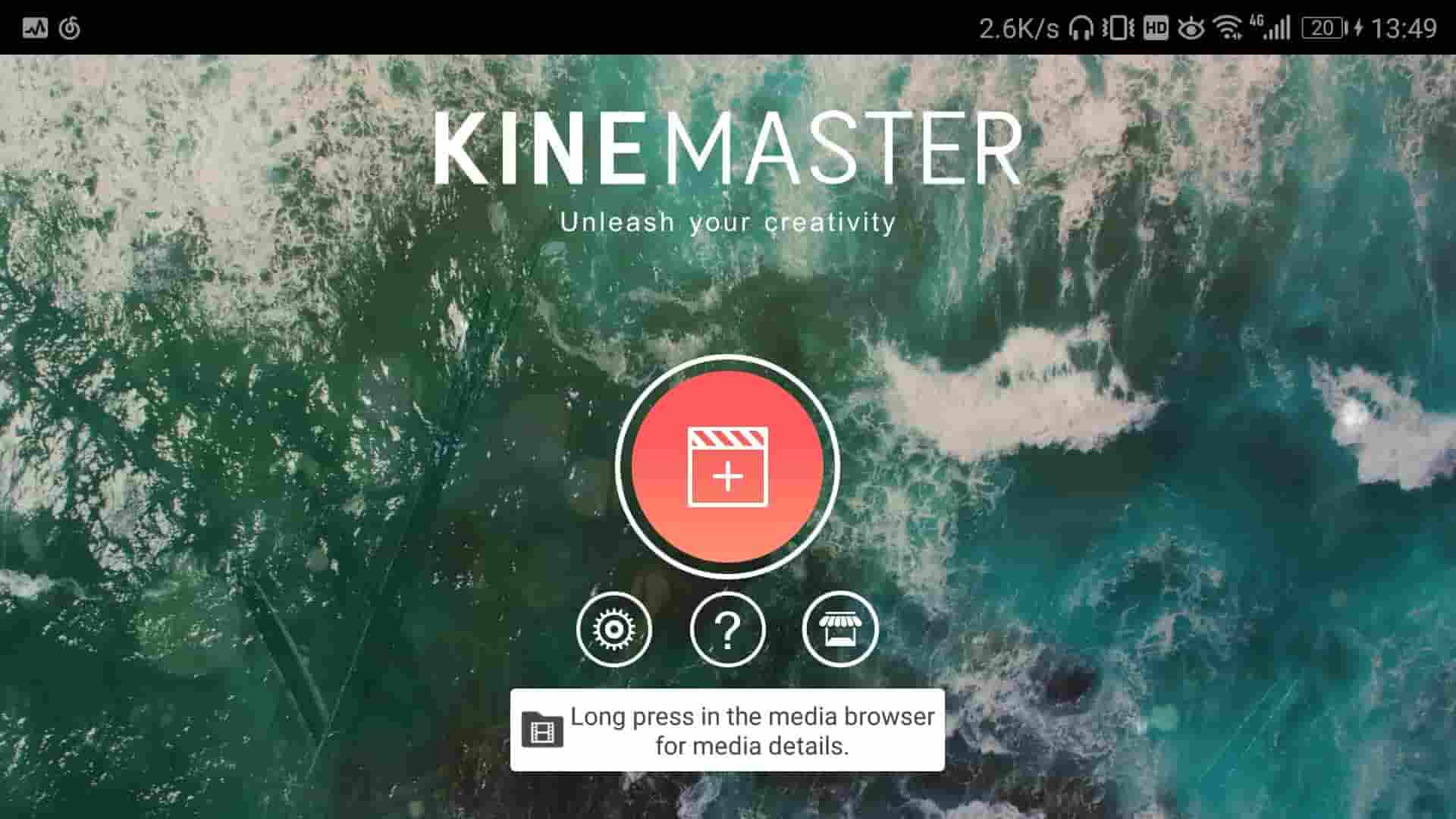
The fully-featured video marketing app, KineMaster is a professional editor for Android devices. It offers unparalleled control over the process of editing on mobile. The handwriting layers allow the users to draw on the video directly. The features of KineMaster are-

Features:

  • Frame-by-frame trimming precisely
  • Manifold layers of images, video, effects, stickers, overlays, handwriting, and text
  • Download effects, royalty free music and more
  • Several animation styles
  • Control speed of the videos
  • Real-time audio and video recording
  • A range of animations, themes, audio, and visual effects

video marketing app


3. DU Recorder

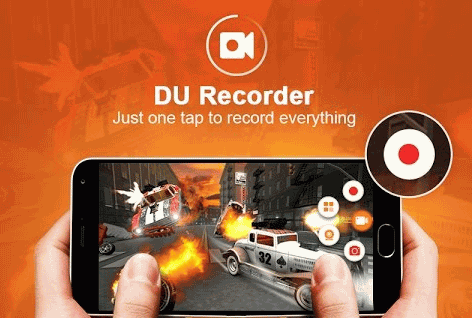
Apart from being a free and high-quality video recorder, DU Recorder is one of the best video marketing apps on your Android device. It offers an easy way to record screen videos smoothly and clearly. There is no recording time limit for DU Recorder and neither root required. You can capture high-quality video of 1080p, 12Mbps, and 60FPS and record easily popular mobile game videos and video calls with family and friends. The features of DU Recorder are-

Features:

  • Provides stable and fluid screen recording
  • Several resolutions bit rates, and frame rates, available
  • Support for HD video
  • Shake the device to stop recording screen
  • You can use the front camera when live streaming
  • Real-time audience comments

video marketing app


4. Quik

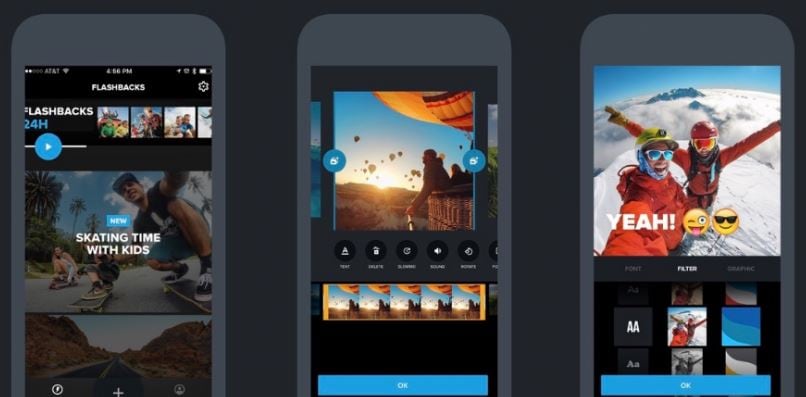
Create video in just a few clicks with Quik. It is a magic wand that can find great moments, add beautiful effects and transitions, and sync everything to the music rhythm once you select your preferred images and video clips.  With Quik, you can customize your clips to create a story, add music and share it with your viewers. The features of Quik are-

Features:

  • Addition of up to 75 photos are allowed
  • Choose from a range of 23 themes, each with transitions and graphics
  • Adjust the filters, fonts, and graphics to fit your style
  • Personalize your story with text overlays, emojis, and title slides
  • This video recorder automatically turns on the audio when it detects voices
  • Choose from more than 100 free songs or use a song from your own collection
  • Save videos in HD 1080p or 720p for stunning videos with 60 fps.

video marketing app

Part 2 : Video Marketing Apps on iPhone

5. iMovie

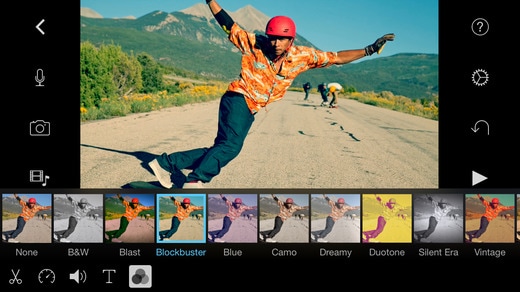
For Mac and iOS users, the iMovie is one of the best video marketing apps to grow your business by telling stories through the videos with your brand logo and credits roll too. It is a simple application that supports 4K resolution videos and you can place it directly from an Apple device to your screen or share on social platforms. The features of iMovie are-

Features:

  • User-friendly interface
  • Users can add custom studio logos, cast names, and credit rolls
  • Numerous templates to choose from to suit the mood of the video
  • Access to special effects and video enhancements to improve the movie
  • 10 filters and 8 themes
  • Music and sound effects library
  • Choose from your own playlist or add voiceovers
  • Video effects and transitions

video marketing app

6. FiLMiC

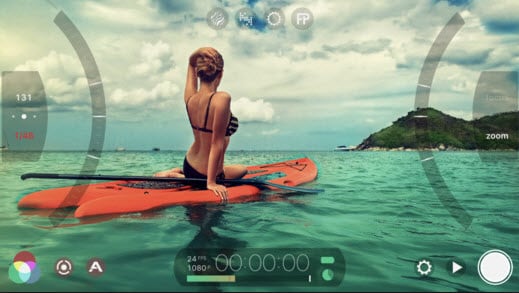
The FiLMiC comes with an advanced video cam on mobiles. With cutting-edge capabilities, FiLMiC available on iPad, iPhone, and iPod, has the most responsive manual camera interface. The features of FiLMiC are-

Features:

  • Exposure-ISO-Shutter Speed-Focus-Zoom complete manual control
  • Standard, manual and hybrid shooting modes
  • Variable speed zoom
  • Sync audio frame rates of 24, 25, 30, 48* 50* and 60* fps
  • Stabilize the videos
  • Allows time-lapse recording

video marketing app

7. Hyperlapse

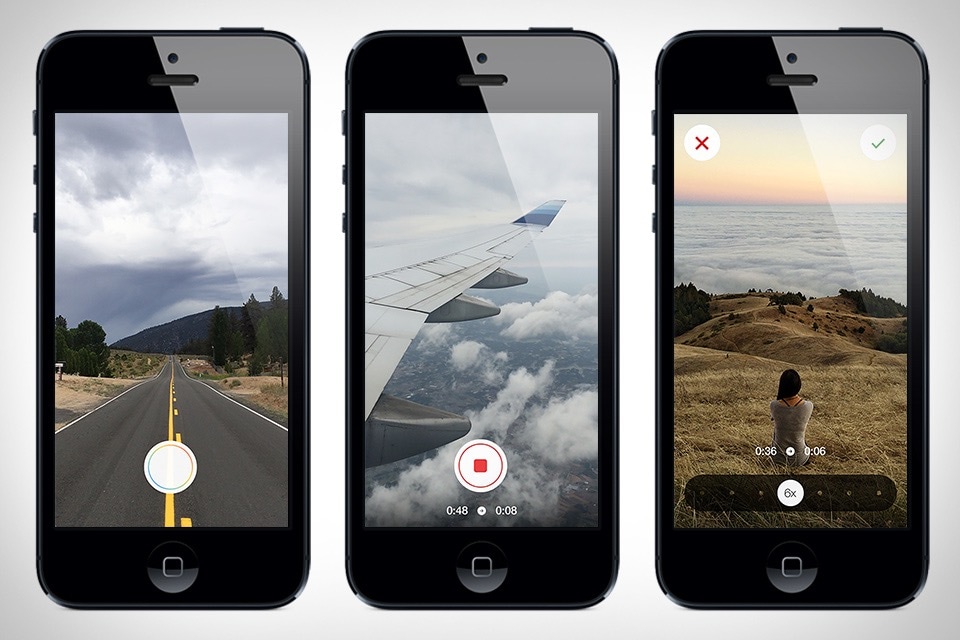
Creating videos with Hyperlapse is easy and trouble-free. Earlier one needed to carry heavy and expensive tripods and equipment. But, with Hyperlapse you can create time lapse videos even without the tripod or other heavy tools. The features of Hyperlapse are-

Features:

  • Capture walking, falling, running with handheld time-lapse videos in motion
  • Auto stabilize option for smooth cinematic quality
  • Speed up your Hyperlapse to be up to 12 times the speed.
  • Simple design to start filming instantly
  • You don’t need to sign up

video marketing app

8. WeVideo

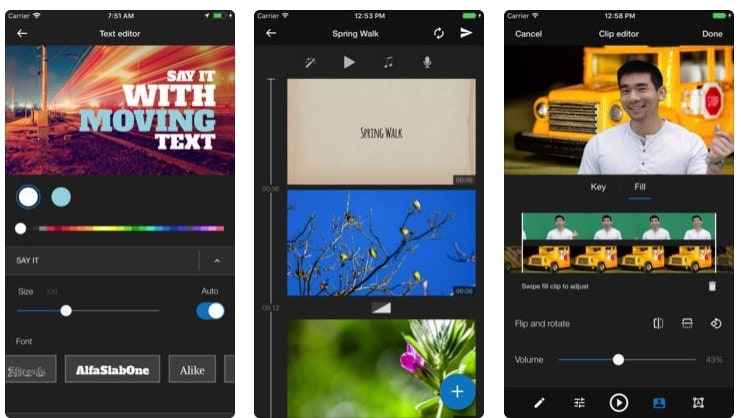
WeVideo is a free video marketing app for iPhone and iPad users to capture, create, view, and share at the earliest. You don’t need to be a pro videographer to create videos on WeVideo. Anyone can create fun videos by combining special photos, video clips, themed music and sounds from the WeVideo library. The features of WeVideo are-

Features:

  • Create incredible videos rapidly with unique video enhancing filters and video themes
  • Easily trim and organize video clips
  • Add titles and captions
  • Publish 4K and HD videos
  • Use blurry effect to enhance the visual impact of your portrait videos
  • Add text element to your video clips
  • Use your own music or add a soundtrack from the WeVideo royalty-free themed library
  • Refined speed control including slow motion
  • Add special effects, transitions, and animations

video marketing app

Conclusion

If you wish to push your business and watch it grow, use any of the above video marketing app and stay in line with the changing demands of the digital users. The video marketing app enables you to create unbelievable videos for your business even if you don’t have any experience. Try the above tools and give your business a boost.

Follow Us:

Share this article:

New Facebook Recommendation System allows for reporting of malicious Reviews

New Facebook Recommendation System allows for reporting of malicious Reviews

Facebook’s new Recommendations replaces Star Rated Reviews & allows for reporting of malicious Reviews


Facebook review Change


Facebook reviews have been contentious for quite some time. Not everybody is equally fair or operates with integrity. You may therefore find yourself with a couple of Facebook reviews that may be malicious.  In the past there was very little you could do about these reviews and they adversely affected your star rating as well. The last thing any business owner wants or should do is to retaliate publicly on a Social Media Platform – which leaves you essentially with a bad rating on your Facebook Page for everybody to see.

Personally I think a bad Facebook review is a lot less damaging than perceived as only the person who wrote the review’s friend’s will see the damaging review.  that being said, Facebook has finally realized that not being in control of reviews is problematic.

Your previous star rating review on Facebook has now been replaced with a “Recommendation” review without stars and also gives you the opportunity to report any review that does not follow Facebook’s Community Standards


Below a guide to set up your Recommendations / Reviews

1. Click Settings at the top of your Page.

2. Click Edit Page in the left column.

3. Scroll down and click Add a Tab.

4. Click Add Tab next to Recommendations.

Note: If your Page previously had reviews, Recommendations have been automatically turned on for your Page. If you can’t find a review, check your Page’s Recommendations (you can filter by most recent Recommendations to help you find it). If you still can’t find a review or Recommendation, it may have been removed because it didn’t follow Facebook’s Community Standards.

How to report a malicious Recommendation/Review

You can report Recommendations that don’t follow our Community Standards or don’t focus on the product or service offered by the business. We’ll review your report and may remove Recommendations that don’t follow our standards.
If you can’t find a Recommendation that you previously saw on the Page, it may have been removed.
To report a Recommendation:
  1. Go to the Recommendation and click  in the top right.
  2. Select Give feedback on this Recommendation.
  3. Follow the on-screen instructions.

Follow Us:

Share this article:

Non-https:// Sites marked as not secure on Google Chrome from July 2018

Non-https:// Sites marked as not secure on Google Chrome from July 2018

Non-https:// Sites marked as not secure on Google Chrome from July 2018

Google has been trying for years to get Web Designers to publish securely hosted websites. Their deadline for conversion was end of Octóber 2017.  As part as an incentive to get web designers and companies to make this shift, Google has been hinting in the direction of “ranking boosts”when your site is securely hosted. In the meantime, some of the non converted website have already been affected – especially if you have an eCommerce site, where you may get a message on your screen that the site you are trying to access is non-secure.  This is not necessarily because the site is insecure, but purely because it is not securely hosted.

Google HTTPS

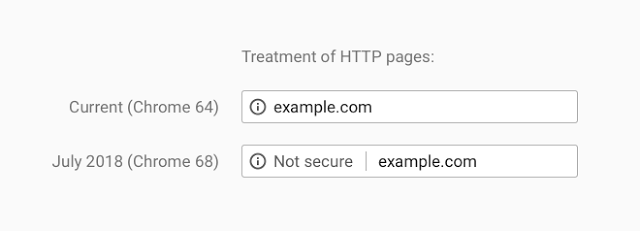
From July 2018, Google will start marking these non-https:// sites as Not-Secure.

This move will coincide with the release of Chrome 68 and will look like this in a user’s browser:

How do I upgrade my website to https://?

All web hosting companies offer SSL certificates with their hosting.  Sometimes your SSL certificate will be included in your hosting fee and in other cases you may have to pay an additional annual fee for your certificate.  Depending on the size, and amount of content on your website, this can be a huge undertaking or fairly simple process. Your web designer is the right guy for the job as there are quite a few steps involved in the conversion.

The Divine Project House has proudly been developing securely hosted websites since early 2016 and all our hosted sites were successfully converted to https:// by the deadline in October 2017.

Need a new Web Designer that stays up to date with Google and the Online World – let us quote you for free

Follow Us:

Share this article:

Shopping cart0
There are no products in the cart!
0